
Folder Tree
Displays folder tree. The root level nodes are the logical drives, network locations, and physical disks.
Summary
Displayed In: Main Window
Available Since: WinFileSearch Version 1.0.0
Online Help: Folder Tree.
Available Since: WinFileSearch Version 1.0.0
Online Help: Folder Tree.
- Located at
- Main Window Folder Tree
- Window Type
- Resizable pane
Screenshot
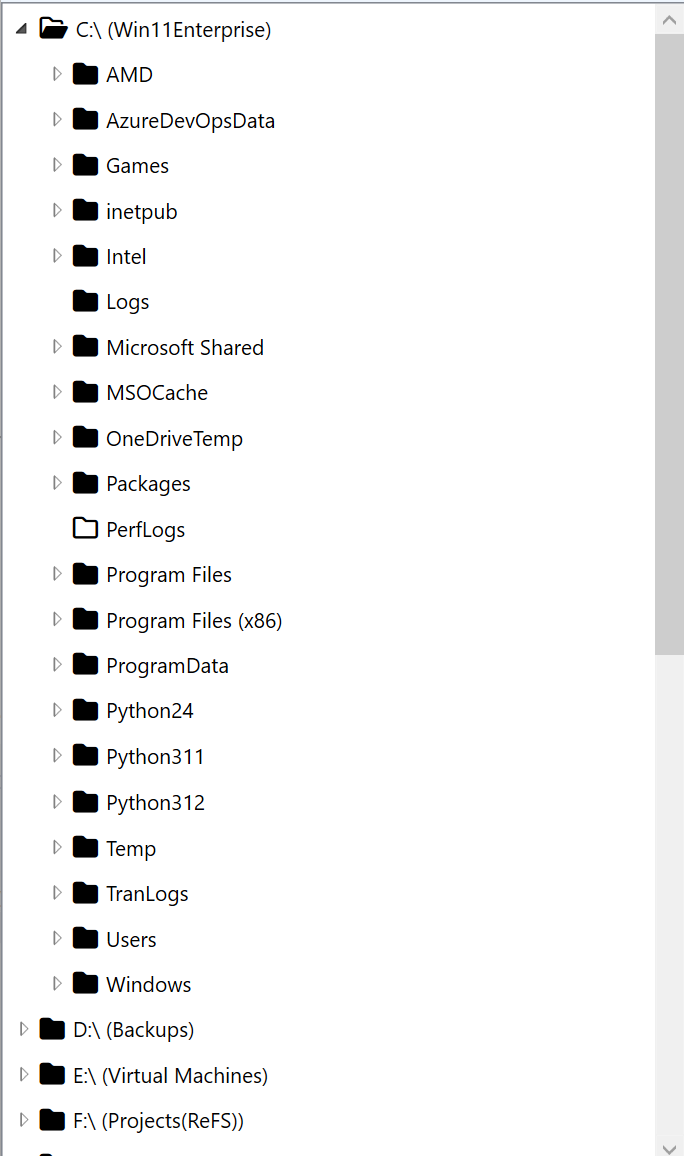
Popup Menu on Tree Items
| Properties | Launches the Properties dialog box. |
| Scan for Deleted Files |
Scan for deleted partitions, folders, and files on the selected disk. This menu item is available only when the selected tree item is a physical disk. Please see Popup Menu Not on Tree Item and Settings for how to include or exclude physical disks in the folder tree. 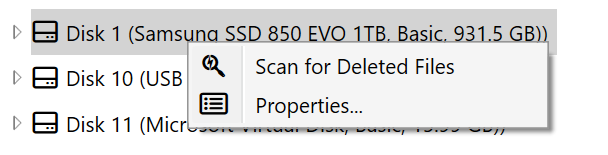
|
| Stop Deleted File Scan |
Stop the current scan for deleted partitions, folders, and files on the selected disk. This menu item is available only when there is a scan in progress. 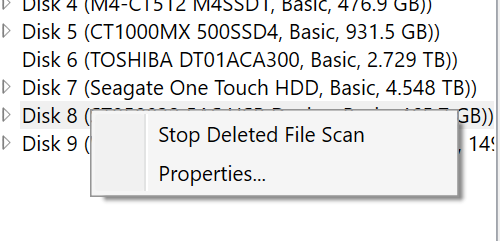
|
Popup Menu Not on Tree Items
| Add Network Location... | Launch "Add Network Location" dialog box. 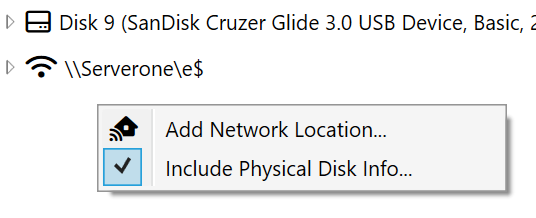 |
| Include Physical Disk Info... | Toggle the root level nodes in the folder tree for physical disks. |